
Download OrganizEat – Recipe Keeper, Recipe Organizer, Cooking Diary, Recipe Manager, Android App
Overview
OrganizEat is a free Android application developed by OrganizEat LTD, designed as a digital recipe keeper and organizer. The app serves as a comprehensive tool for individuals who want to collect, manage, and organize their favorite recipes in a structured and accessible way. It functions as both a virtual recipe box and a personal cooking diary, enabling users to save, edit, and retrieve recipes with ease. The software is ideal for home cooks, food enthusiasts, and families seeking a streamlined method to maintain a digital cookbook without relying on cloud services.
By allowing users to store recipes locally on their devices, OrganizEat emphasizes privacy and data security, ensuring no information is shared or synced externally. The app supports custom categorization and tagging, enabling users to sort recipes by meal type, dietary preference, or cooking occasion. It also facilitates the import of recipes from web sources, making it convenient to preserve online content. Real-world use cases include meal planning, tracking cooking habits, and sharing family recipes with friends and relatives while maintaining control over access.
Key Features & Capabilities
- Digital Recipe Collection – Save recipes directly from the web or manually input them for long-term storage.
- Custom Tags and Categories – Organize recipes using user-defined labels and groupings for efficient retrieval.
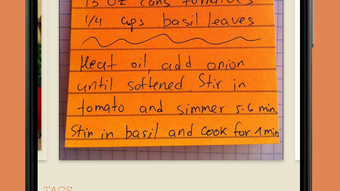
- Photo Integration – Add personal photos to recipes and use a built-in editor to enhance or customize them.
- Offline Access – All data is stored locally, allowing full functionality without internet connectivity.
- Search Functionality – Quickly locate recipes using keywords, tags, or categories.
- Meal Planning Tools – View and organize recipes by time, meal type, or custom criteria.
- Privacy-First Design – No cloud sync, no data sharing, and no advertisements.
These features make OrganizEat particularly useful for users who prioritize control over their data. For example, a home cook can compile a collection of family recipes, tag them by occasion (e.g., “holiday,” “weeknight dinner”), and search them instantly. A health-conscious user might create a “low-carb” category and filter recipes accordingly. The ability to import from the web reduces manual entry, while the photo editor enhances personalization. The absence of ads and cloud dependency ensures uninterrupted use and peace of mind.
User Interface, Workflow & Performance
OrganizEat features a clean, modern interface with a dark mode option, enhancing readability and reducing eye strain during extended use. The navigation is intuitive, with a bottom menu bar providing quick access to core functions such as recipe creation, search, and category management. Users can add recipes through a step-by-step form that supports text input, image uploads, and tagging.
The workflow is designed for efficiency, allowing users to perform common tasks—like adding a tag to multiple recipes or importing a web-based recipe—with minimal steps. The app maintains a responsive interface, and the developer did not specify resource usage details. Performance observations are based on general software behavior patterns. Stability appears consistent, with no reported crashes or freezes in available documentation. The app operates smoothly on Android devices, and the local storage model contributes to reliable access and minimal latency.
Compatibility & System Requirements
OrganizEat is designed for Android operating systems. The app is available as a free download with no in-app purchases or advertisements. The installation size is not specified, and exact system requirements were not listed. Compatibility information was partially provided, indicating support for Android devices, though the minimum version is not stated. The app does not require cloud connectivity, making it suitable for older or low-spec Android devices that lack consistent internet access.
Users should ensure their device meets standard Android compatibility standards. The developer did not provide additional system requirements. The app’s local-only data storage model suggests it may function well on devices with limited RAM or processing power, as it does not rely on background sync or server communication.
Pros and Cons
Pros
- Free to download and use with no ads
- Local data storage ensures privacy and security
- Supports web recipe imports and photo editing
- Custom tags and categories for flexible organization
- Dark mode improves usability in low-light environments
- Offline functionality allows full access without internet
Cons
- No cloud sync or cross-device access
- Missing detailed system requirements and file size
- Platform limited to Android only
- No backup or export options mentioned
- Interface may lack advanced customization for power users
FAQ Section
Is OrganizEat available for iOS devices?
Currently, OrganizEat is only available for Android. There is no information on iOS compatibility.
Does OrganizEat use cloud storage?
No, the app stores all recipes locally on the user’s device. There is no cloud sync or data sharing.
Can I import recipes from websites?
Yes, the app supports importing recipes directly from web sources.
Is the app free to use?
Yes, OrganizEat is completely free with no ads or in-app purchases.
Do I need an internet connection to use OrganizEat?
For basic functionality, such as viewing and managing saved recipes, an internet connection is not required. However, importing recipes from the web requires connectivity.
Final Thoughts
OrganizEat stands out as a privacy-focused, user-friendly recipe manager tailored for Android users who value control over their data. Its clean interface, robust tagging system, and local storage model make it a reliable choice for anyone building a personal digital cookbook. While the lack of cross-device sync and export features may limit its appeal for some, the app excels in simplicity, security, and ease of use.
It’s particularly well-suited for families, home cooks, and individuals who prefer not to rely on cloud services. With no ads and full offline access, OrganizEat delivers a seamless experience. For those seeking a secure, free, and straightforward recipe keeper on Android, this app is a strong contender.
Download OrganizEat now







